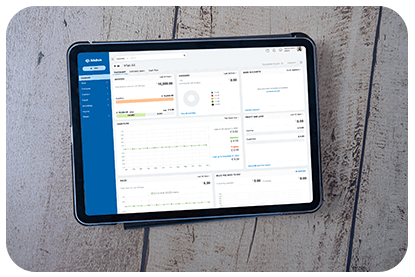
The Dashboard in QuickZeros provides a visual snapshot of your finances. It helps you track income, expenses, outstanding payments, and cash flow. You’ll also find insightful charts and reports for better financial planning.
Total Receivables
The Total Receivables section displays the amount customers owe you, categorized into:
- Current – Invoices that are still within the due period.
- Overdue – Invoices that have exceeded the payment deadline.
📌 Click on the Current or Overdue amount to view the Aging Report by due date.
Create New Transactions
To quickly add a new transaction:
- Click + New in the top-right corner.
- Select from:
- Invoice
- Recurring Invoice
- Customer Payment
💡 You can also filter overdue amounts by selecting a time range from the drop-down.
Total Payables
The Total Payables section displays the amount your business owes to vendors, divided into:
- Current – Payments due within the deadline.
- Overdue – Payments that have exceeded the due date.
Tracking Total Payables ensures that you stay on top of vendor payments and maintain a healthy cash flow.
With QuickZeros Books, you can manage your finances seamlessly with real-time data and insightful reports. 🚀


